Streamline network management across Windows domains with comprehensive tools for user, server, and data oversight
Streamline network management across Windows domains with comprehensive tools for user, server, and data oversight
Vote (2 votes)
Program license Trial version
Developer POINTDEV
Version 12
Works under Windows
Vote
(2 votes)
Developer
POINTDEV
Works under
Windows
Program license
Trial version
Version
12
Pros
- Centralizes network, domain, and server administration
- Robust data migration capabilities
- Comprehensive inventory and reporting tools
- Remote control and security management features
- Licensing is per administrator, not per device
- Supports a wide range of legacy and current Windows server versions
Cons
- User interface is functional, but not visually modern
- Lacks support for the latest Windows Server editions beyond 2008
- Advanced features may require a learning curve for new administrators
Centralized network administration suite for Windows servers and domains.
Overview of IDEAL Administration 2012
IDEAL Administration 2012 is a comprehensive software solution designed to streamline and consolidate the management of Windows-based networks. Targeted at IT professionals and system administrators, it brings together a robust set of tools for overseeing domains, servers, and workstations—all accessible through a single interface. The software supports a wide range of Windows server environments, including NT, 2000, 2003, and 2008, catering to both legacy and modern IT infrastructures.
Feature Set and Capabilities
One of the standout aspects of IDEAL Administration 2012 is its broad functionality. The software is built to handle core administration tasks such as user and group management, service supervision, registry and event monitoring, and remote operations. Administrative control is not limited to the local network; the platform supports management over WAN, VPN, and even Internet connections, offering flexibility for distributed teams and remote offices.
Remote control is a particular strength, allowing administrators to configure client stations, apply group settings, and conduct remote installations without the need for individual access at each machine. Tasks that once required multiple tools can now be managed through a unified solution.
Migration and Inventory Management
Data migration features offer a solid solution for organizations planning upgrades or consolidations. The software can migrate user accounts (with passwords), groups, shared folders, and even entire file servers between domains or servers. This is especially useful when integrating or decommissioning servers, as the process maintains continuity and reduces manual errors.
Inventory and reporting features provide in-depth visibility into the network, covering organizational units, users, groups, file structures, registry settings, printers, software inventories, installed hotfixes, and more. The database exporter function supports automated, scheduled inventory reports, aiding compliance and documentation efforts.
Exchange and Security Management
IDEAL Administration 2012 also delivers tools specific to Microsoft Exchange environments (versions 5.5, 2000, and 2003). Administrators can manage mailboxes, including creation and deletion, from within the central console.
Security management is integrated, allowing remote configuration of Windows Firewall settings, user account control (UAC), and access rules. This increases the administrator’s ability to react quickly to emerging threats or required policy adjustments.
User Interface and Usability
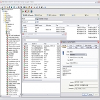
The interface adopts a functional, tree-based navigation with clear tabs and panels. While visually oriented toward utility rather than aesthetics, it is straightforward for experienced administrators. All key actions are accessible without excessive menu diving, and the clear delineation between domains, computers, and users aids efficient management.
Licensing and Scalability
Licensing is straightforward: the model is per administrator rather than per device managed. This can offer cost efficiency for organizations with large numbers of servers and workstations, reducing the administrative overhead of tracking endpoint-specific licenses.
Performance and Compatibility
Performance is reliable, with minimal delays even during larger inventory or remote control operations. The software is lightweight and does not exert a notable load on network resources, making it suitable for both small and large deployments.
Summary
IDEAL Administration 2012 stands out as a versatile and capable solution for centralizing the management of Windows domains and servers. Its toolset brings together key administrative functions under one roof, simplifying routine tasks and supporting advanced operations like cross-domain migrations and comprehensive inventories.
Pros
- Centralizes network, domain, and server administration
- Robust data migration capabilities
- Comprehensive inventory and reporting tools
- Remote control and security management features
- Licensing is per administrator, not per device
- Supports a wide range of legacy and current Windows server versions
Cons
- User interface is functional, but not visually modern
- Lacks support for the latest Windows Server editions beyond 2008
- Advanced features may require a learning curve for new administrators